
WooCommerce and eBay to Xero, with Amazon coming soon. Book a demo
Payment clearing

WooCommerce payment clearing accounts in Xero

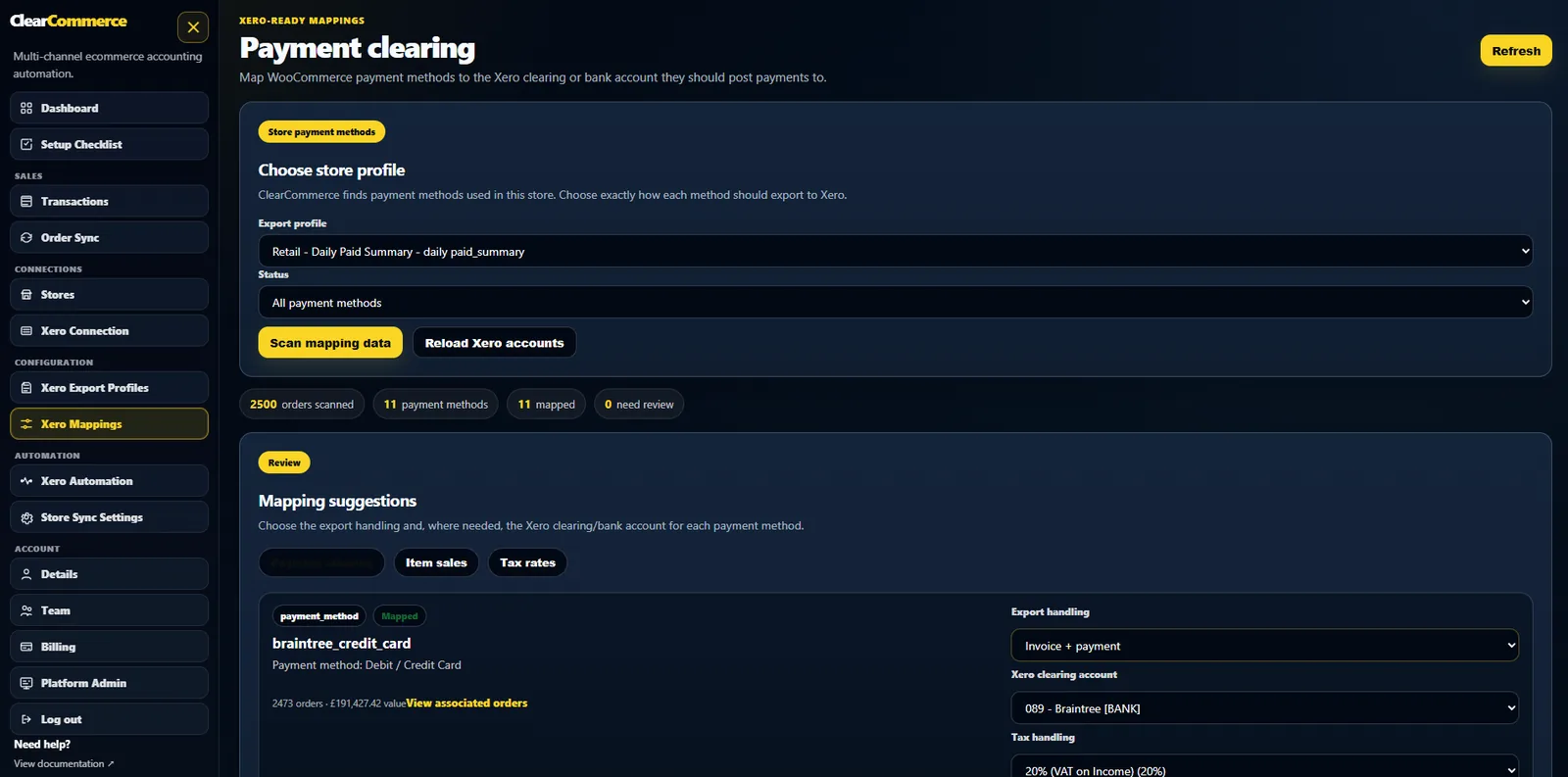
ClearCommerce maps WooCommerce payment methods to Xero clearing accounts so Stripe, PayPal, card payments, BACS and other methods can reconcile cleanly.

Gateway reconciliation

Payment methods should never be hardcoded

WooCommerce stores often use multiple gateways. ClearCommerce lets each payment method map to the right Xero clearing account and posting treatment.

  • Stripe/card sales to a Stripe clearing account
  • PayPal sales to a PayPal clearing account
  • BACS or account-term orders left unpaid where required
  • Payment method skip rules for methods that should not export
ClearCommerce payment clearing account mappings

Why clearing accounts matter

Gateway deposits rarely equal gross WooCommerce sales. Fees, timing differences and refunds make bank reconciliation messy unless the accounting records are posted through the right clearing accounts.

Different methods need different treatment

Card payments might create invoice plus payment. BACS orders might create an unpaid invoice. Some methods may be skipped. ClearCommerce keeps that logic in payment mappings instead of code.

Questions people ask

WooCommerce and Xero FAQs

What is a WooCommerce payment clearing account in Xero?

It is a Xero account used to hold gateway sales and payment movements before they are reconciled against bank deposits and fees.

Can BACS be treated differently from card payments?

Yes. Payment mappings can leave BACS orders unpaid while card or gateway-paid orders are posted as paid where appropriate.

Can payment methods be skipped?

Yes. Users can decide per store and payment method whether to create an invoice only, invoice plus payment, daily summary, or skip where appropriate.

Ready for cleaner WooCommerce accounting in Xero?

Tell us how your WooCommerce store, payment gateways, refunds and Xero workflow operate today. We will show the best posting profile for your setup.