
Create your company
Your workspace keeps company data, users, stores, Xero connections and exports isolated from other ClearCommerce customers.
ClearCommerce separates imported store data from accounting treatment, giving every company and store its own connection, export profile and mappings.
Your workspace keeps company data, users, stores, Xero connections and exports isolated from other ClearCommerce customers.
Connect one or more WooCommerce or eBay stores, authorise Xero and select the Xero organisation that should receive exports.
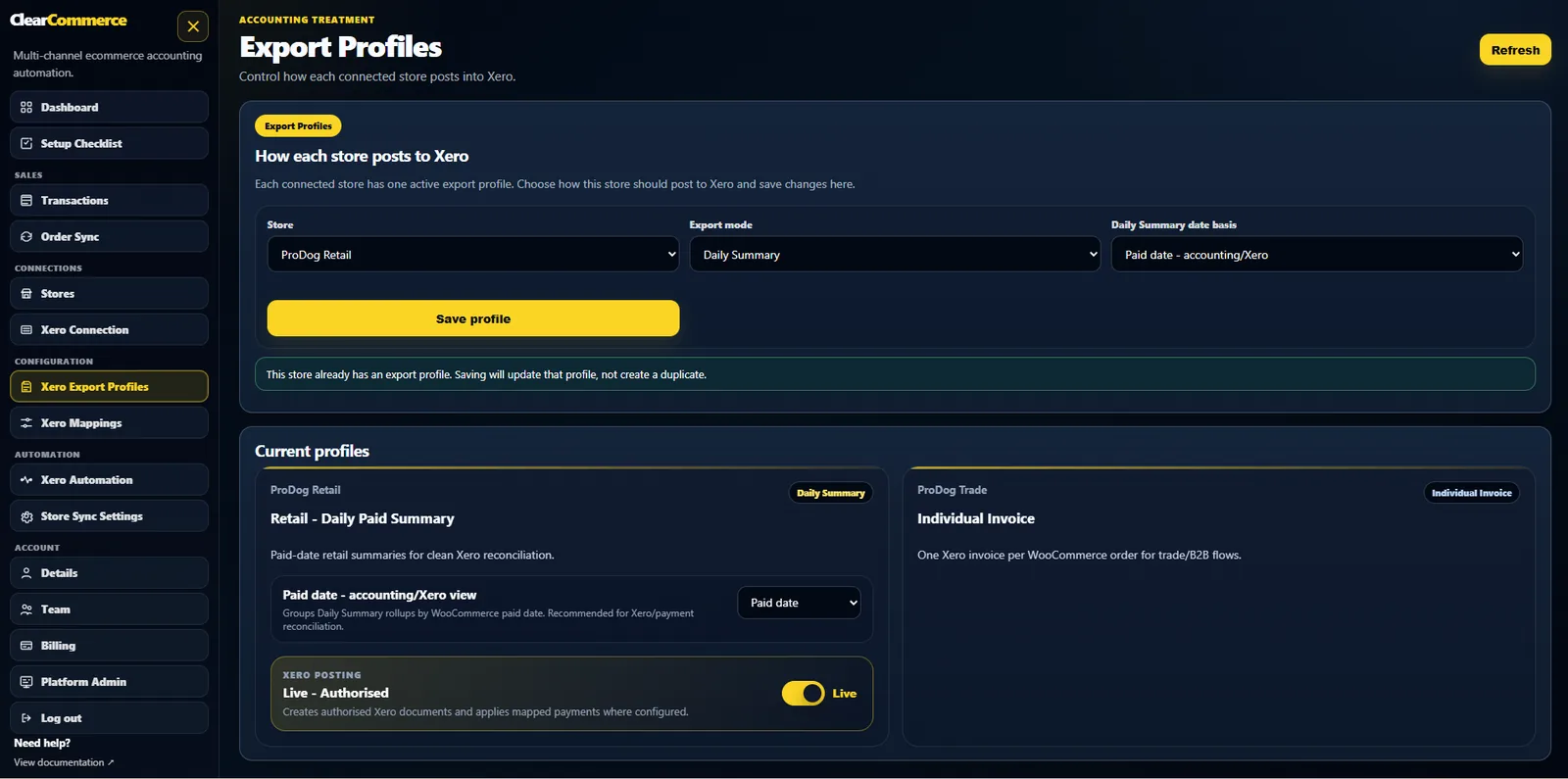
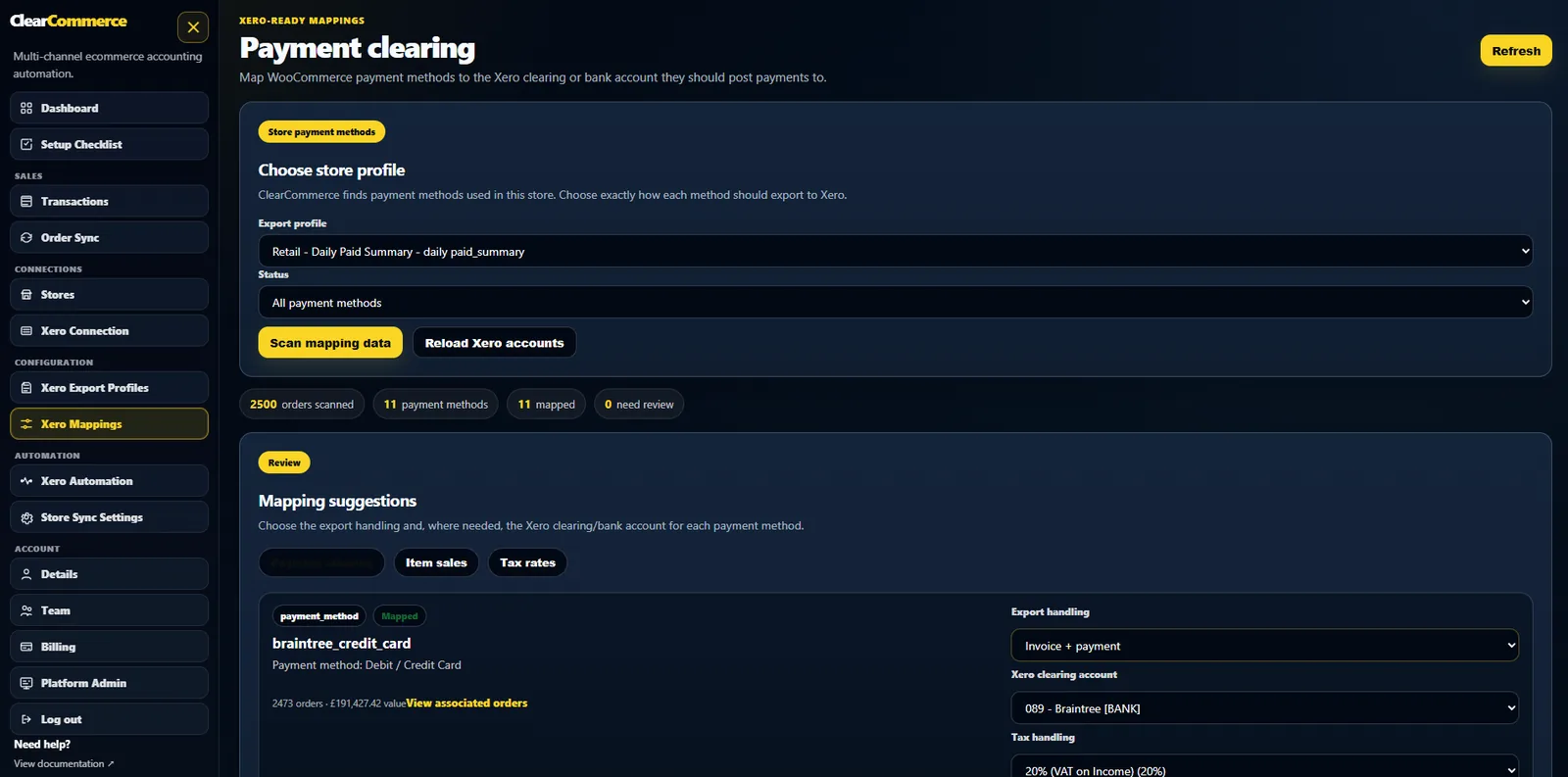
Create an export profile for each store, then map accounts, tax rates and payment methods.
Import by date range, preview the result and post to Xero with history, error detail and duplicate protection.
ClearCommerce is built as a multi-tenant SaaS. Each company controls its own stores, Xero organisation and export profiles.
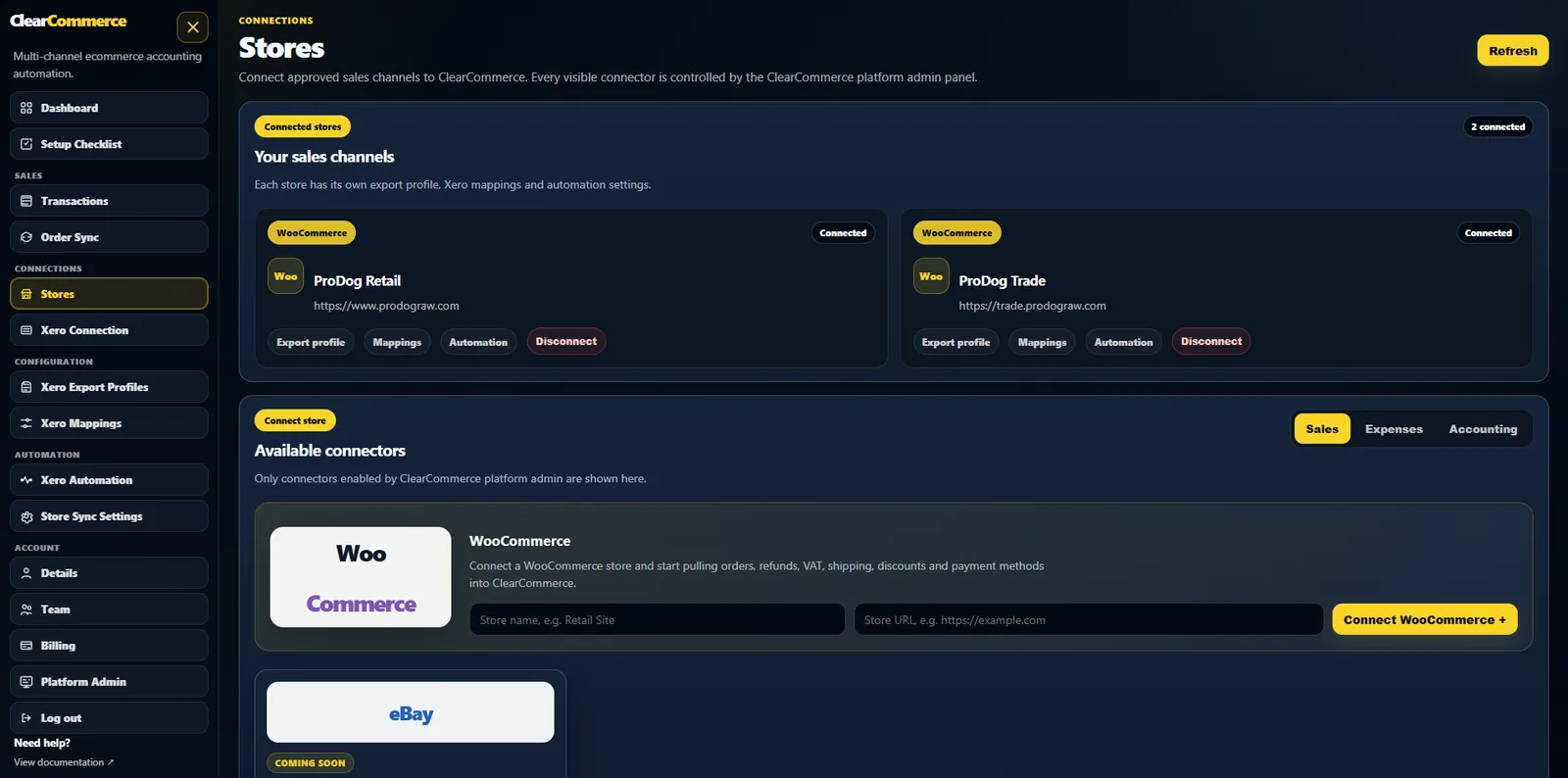
A retail store might use a daily paid-date summary while a trade store creates one Xero invoice per order. The export profile controls the result without changing the source orders.
Sales, shipping, discounts, refunds, tax rates, rounding and gateway clearing should follow your chart of accounts—not a connector’s assumptions.
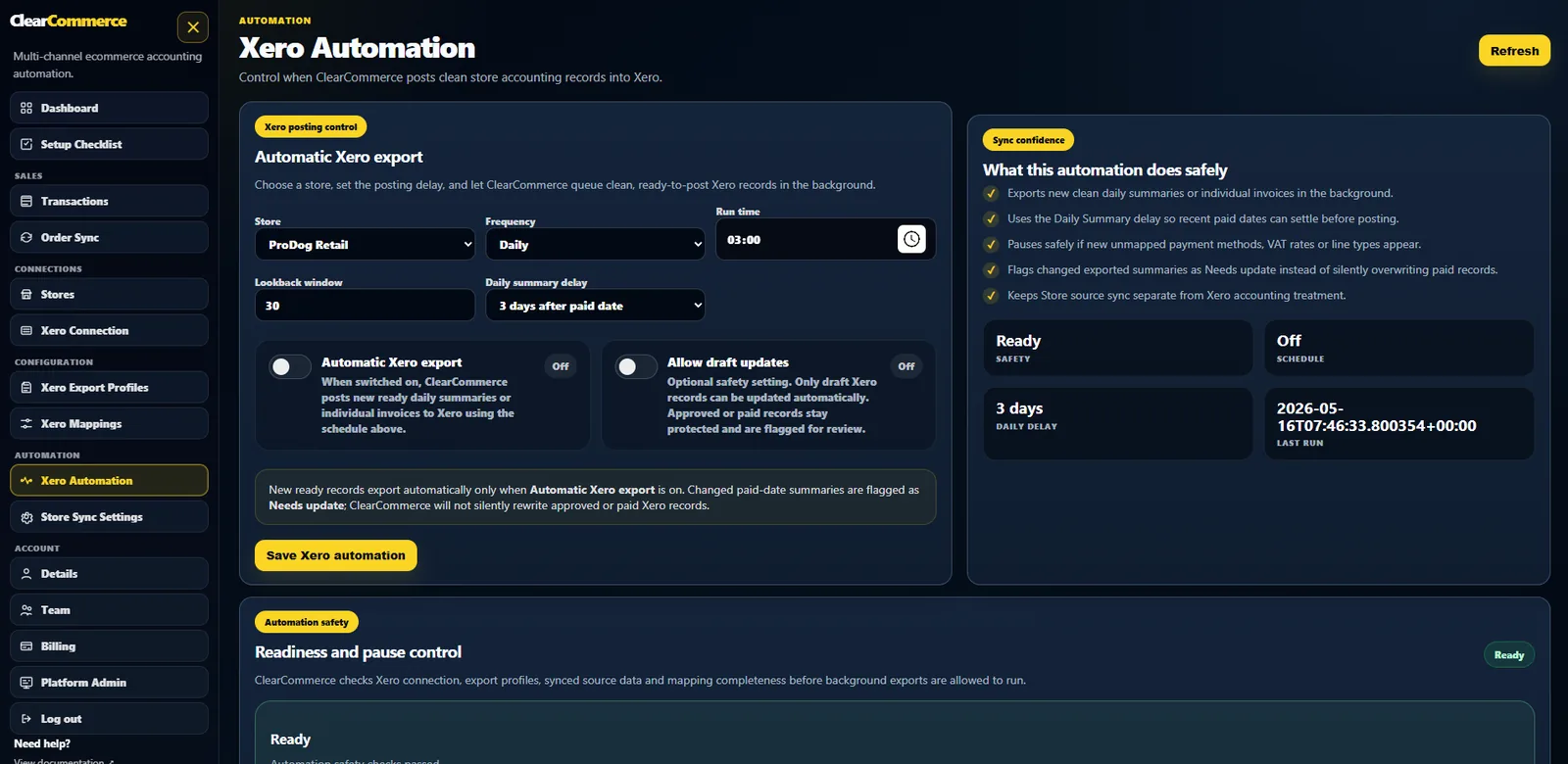
Scheduled store imports and Xero exports run through background jobs designed to be idempotent. History, status and errors remain visible so failed work can be corrected and retried.
Tell us your order volume, store count and preferred posting method. We will review the setup and show how ClearCommerce would be configured.