
Individual WooCommerce invoices in Xero
Give trade and B2B orders their own Xero invoice, contact and payment treatment without forcing retail orders into the same workflow.
One invoice for each eligible order
Individual invoice mode creates a distinct Xero sales invoice from the WooCommerce order and keeps the source order reference for duplicate prevention.
- Use the WooCommerce order number or a prefixed number
- Allow Xero to generate invoice numbers
- Create draft, submitted or approved invoices
- Set due dates to same day, 7, 14 or 30 days
Match the right Xero contact
Billing company, customer name and email can be used to match an existing Xero contact or create one when no suitable match exists.
- Useful for trade account customers
- Contact strategy is part of the export profile
- Billing data remains tied to the source order
- Avoid a generic retail contact for B2B sales
Clear accounting treatment
Configuration is stored against the company and store so the same source data can be reviewed, reprocessed safely and traced through its export history.
Control whether the invoice is paid
Paid ecommerce orders can receive a matching Xero payment while BACS, account terms or selected gateways can remain unpaid.
- Leave all invoices unpaid when required
- Mark WooCommerce-paid orders as paid
- Limit payment posting to selected payment methods
- Map each method to the correct clearing account
Clear accounting treatment
Configuration is stored against the company and store so the same source data can be reviewed, reprocessed safely and traced through its export history.
What businesses usually ask
Can BACS orders stay unpaid in Xero?
Yes. Payment handling can leave BACS or account-term orders unpaid while card orders are marked paid.
Can Xero contacts be created automatically?
Yes. The profile can match using billing email or company details and create a contact when no suitable contact exists.
Can retail and trade stores use different modes?
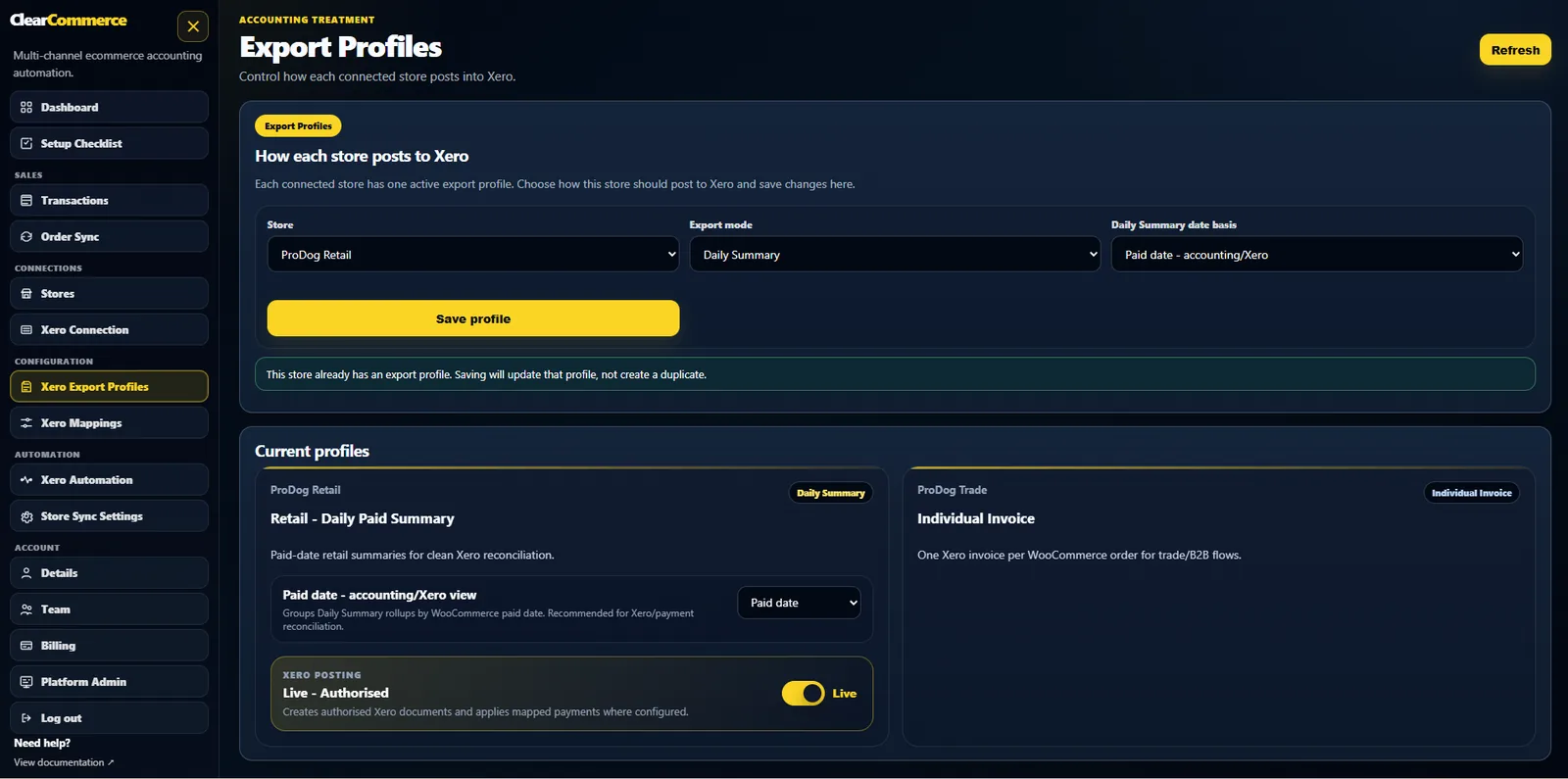
Yes. Export profiles are configured per store, so one store can use daily summaries and another can create individual invoices.
Bring your current reconciliation problem
We will help you decide whether daily summaries, individual invoices or separate store profiles are the cleanest route.